





HR Document Approval Workflow: A Digital Process Guide
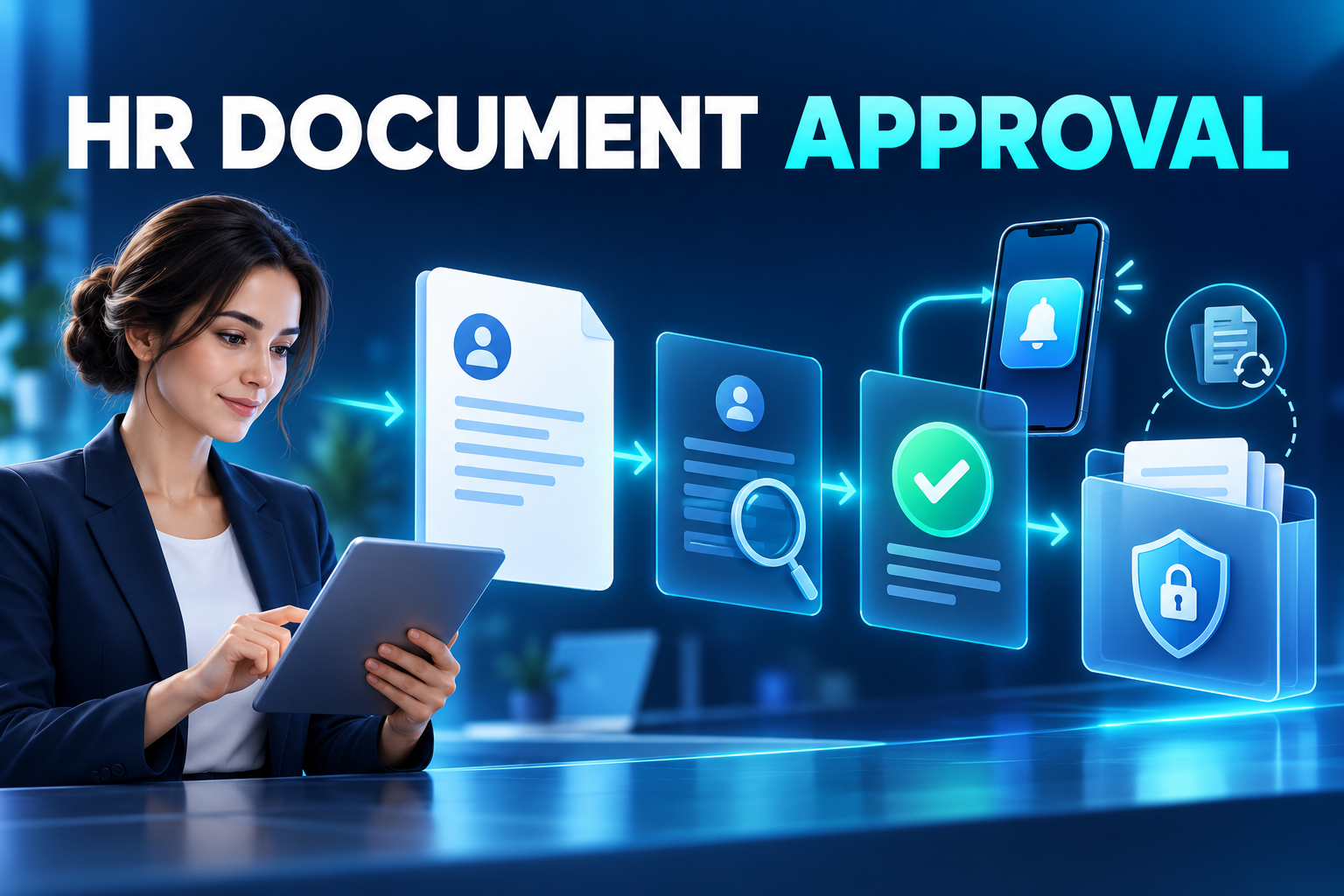
Build an HR document approval workflow that connects creation, secure delivery, mobile review, version control and archiving in the employee record.
HR teams distribute contracts, policy updates, compensation letters, job descriptions, equipment forms and many other documents throughout the employee lifecycle.
When these files move through email and shared folders, visibility disappears. HR cannot quickly confirm which version was sent, whether the employee viewed it, who approved it or whether the completed record reached the correct employee file.
An HR document approval workflow creates a controlled process from document generation to secure archiving.
What is an HR document approval workflow?
An HR document approval workflow is a digital sequence used to prepare, route, review, approve and retain employee-related documents.
It connects the document with the correct employee, version, signatories, effective date and access policy. Instead of tracking a PDF independently, the organisation manages the complete transaction.
A structured workflow may record:
Document type
Employee and employing entity
Template and version
Sender
Required reviewers or signatories
Delivery time
View status
Approval, rejection or correction status
Reminders
Completion date
Final executed copy
Employee-record category
Retention and access settings
This information enables HR to manage exceptions without manually opening every employee folder.
Which HR documents can use digital workflows?
The appropriate process depends on the document’s purpose, jurisdiction and required evidence.
Onboarding documents
Employment agreements, job descriptions, confidentiality terms, security policies and new-hire acknowledgements can form part of a coordinated onboarding workflow.
Employment changes
Promotion letters, compensation changes, new working arrangements and location transfers can be generated from approved HR data and sent to the relevant parties.
Policies and employee communications
Codes of conduct, remote-working rules, information-security policies and employee handbooks can be distributed with delivery, view or acknowledgement tracking.
Equipment and asset records
The issue and return of laptops, phones, access cards, vehicles and protective equipment can be connected with the employee record.
Learning and compliance documentation
A platform can record the delivery of training materials and required policy acknowledgements. Document access should not be confused with proof of competence; assessment and completion results may require separate evidence.
Offboarding documents
Handover forms, equipment returns and access-closure checks can use digital workflows. Termination agreements, releases and final settlements may require specialist local review.
How does a digital document workflow operate?
1. Create an approved template
HR defines the purpose, audience and required fields. The system can populate employee name, position, entity, manager, effective date and other approved data.
Templates should be controlled. When wording changes, the platform creates a new version instead of silently replacing the old one.
2. Generate the employee-specific document
The system links the document with the correct employee and employment record.
For bulk distribution, every personalised file must be checked against its intended recipient. A secure platform should reduce the risk of one employee receiving another person’s contract or compensation letter.
3. Configure the routing sequence
Different documents require different participants. Common routes include:
Employer representative followed by employee
Employee followed by manager
Parallel review
Sequential approval
Additional review for specific entities or document types
HR validation before finalisation
The platform should allow routing to reflect the actual accountability model rather than forcing every document through one generic flow.
4. Notify the participant securely
The employee receives a mobile, portal or email notification directing them to the document.
Sensitive content should not appear in an unsecured message preview. The user should authenticate before accessing the document.
5. Present the complete document
The participant must be able to review the full content and relevant attachments before acting. Mobile presentation should remain readable without hiding important terms behind a small checkbox.
Where appropriate, the workflow can provide a channel for questions or corrections.
6. Capture the action and evidence
The participant may acknowledge, approve, reject, request correction or apply an electronic signature.
These actions are not interchangeable. A click-to-acknowledge event, one-time code and qualified electronic signature can provide different levels of identity and integrity evidence. The method should reflect the document’s risk and local requirements.
7. Complete and archive the record
After all required actions are finished, the platform preserves the final document and relevant transaction evidence.
The record transfers to the correct employee profile with its category, effective date, permissions and retention rule.
Delivery, acknowledgement and signature are different
Organisations should define what each workflow action means.
Delivery
Delivery evidence indicates that the document was made available through a defined channel. It does not necessarily prove acceptance.
View record
A view event shows that the authenticated user opened the document. It does not guarantee that the person read or understood every term.
Acknowledgement
An acknowledgement records the user’s response to a defined statement. Its strength depends on authentication, wording, document version and transaction history.
Electronic signature
An electronic signature can connect identity, intent and document integrity more strongly. Different signature standards have different legal effects across jurisdictions.
The workflow should apply a proportionate method rather than describing every approval as a legally equivalent signature.
Why document version control matters
A reliable system must preserve exactly what each employee received and approved.
Version control should:
Assign a unique identifier to each version
Retain superseded documents
Record effective dates
Connect each action with the relevant version
Prevent completed content from being replaced
Support controlled cancellation
Trigger redistribution when appropriate
Preserve historical evidence
If HR corrects a completed document, the safer approach is to issue a new controlled version and repeat any necessary approval steps.
Managing reminders and exceptions
The value of workflow automation becomes most visible when something does not proceed normally.
HR should be able to identify:
Documents that have not been opened
Documents viewed but not completed
Rejections and correction requests
Approaching deadlines
Incorrect recipients
Missing signatories
Open tasks belonging to a leaver
Failed notifications
Integration errors
Documents awaiting HR validation
Reminder frequency should reflect importance and deadline. Excessive notifications can teach employees to ignore every message.
Security and privacy controls
Employee documents may contain identity, compensation, performance and health-related information. The workflow therefore needs controls beyond basic file storage.
Important safeguards include:
Role-based access
Document-category permissions
Strong authentication
Encryption in transit and at rest
Document-integrity controls
Detailed transaction logs
Controlled downloads and exports
Retention and deletion settings
Immediate access removal for leavers
Protection against incorrect recipients
Secure integration accounts
The platform should also restrict the information displayed in lock-screen, email and messaging notifications.
Benefits of digital document approval
Less manual follow-up
HR can view outstanding actions through dashboards instead of maintaining spreadsheet trackers.
Better employee access
Employees can review assigned documents through mobile and web self-service without visiting an HR office.
Reliable version control
The platform separates drafts, superseded documents and completed records.
Stronger auditability
Delivery, viewing, approval, rejection and modification events can remain traceable.
Connected employee records
Completed documents enter the appropriate employee file without repeated downloading and uploading.
Consistent multi-location operations
Central HR can monitor document completion across branches, sites and legal entities while maintaining local routing rules.
Common implementation mistakes
Using one action for every document
A policy acknowledgement, leave request and employment agreement may need different levels of evidence.
Sending attachments outside the platform
If employees can complete the process by returning an edited attachment through email, version control is weakened.
Archiving only the PDF
The organisation may also need the version, participants, timestamps and relevant transaction evidence.
Ignoring rejected documents
A rejection should create a managed correction process, not disappear into an individual HR inbox.
Requiring manual filing
Downloading each completed document and uploading it to an employee folder reintroduces avoidable errors.
What to evaluate in document workflow software
Ask providers to demonstrate:
Template generation from HR data
Personalised bulk distribution
Version control
Sequential and parallel routing
Mobile and web review
Approval, rejection and correction actions
Electronic-signature options
Reminder and escalation rules
Document-integrity verification
Role-based access
Audit history
Employee-record integration
Onboarding and offboarding workflows
Completion dashboards
Failed-delivery handling
Retention and deletion controls
A realistic demonstration should include two signatories, an employee correction request, a revised version and automatic transfer into the employee record.
Frequently asked questions
Does every HR document require an electronic signature?
No. The appropriate method depends on the transaction, jurisdiction, evidence requirement and organisational risk.
Can an employee reject a document?
A well-designed workflow can capture rejection or a correction request with a reason and route it to the responsible HR user.
Can an approved document be edited?
The completed version should remain unchanged. A correction should create a new version and trigger any required approvals again.
Can documents be sent in bulk?
Yes, provided each document is generated with the correct employee data and matched securely with its intended recipient.
Can completed documents enter the employee record automatically?
Yes. Integrated software can archive the final document with its category, status, effective date and transaction history.
Connect document approval with the employee lifecycle
HR&Tomorrow connects document generation, mobile employee actions, approval tracking and digital employee records. HR teams can monitor versions, outstanding tasks and exceptions centrally, while employees access assigned documents through secure self-service channels.
Request an HR&Tomorrow demo to see how document creation, mobile approval and employee-record archiving can become one connected workflow.